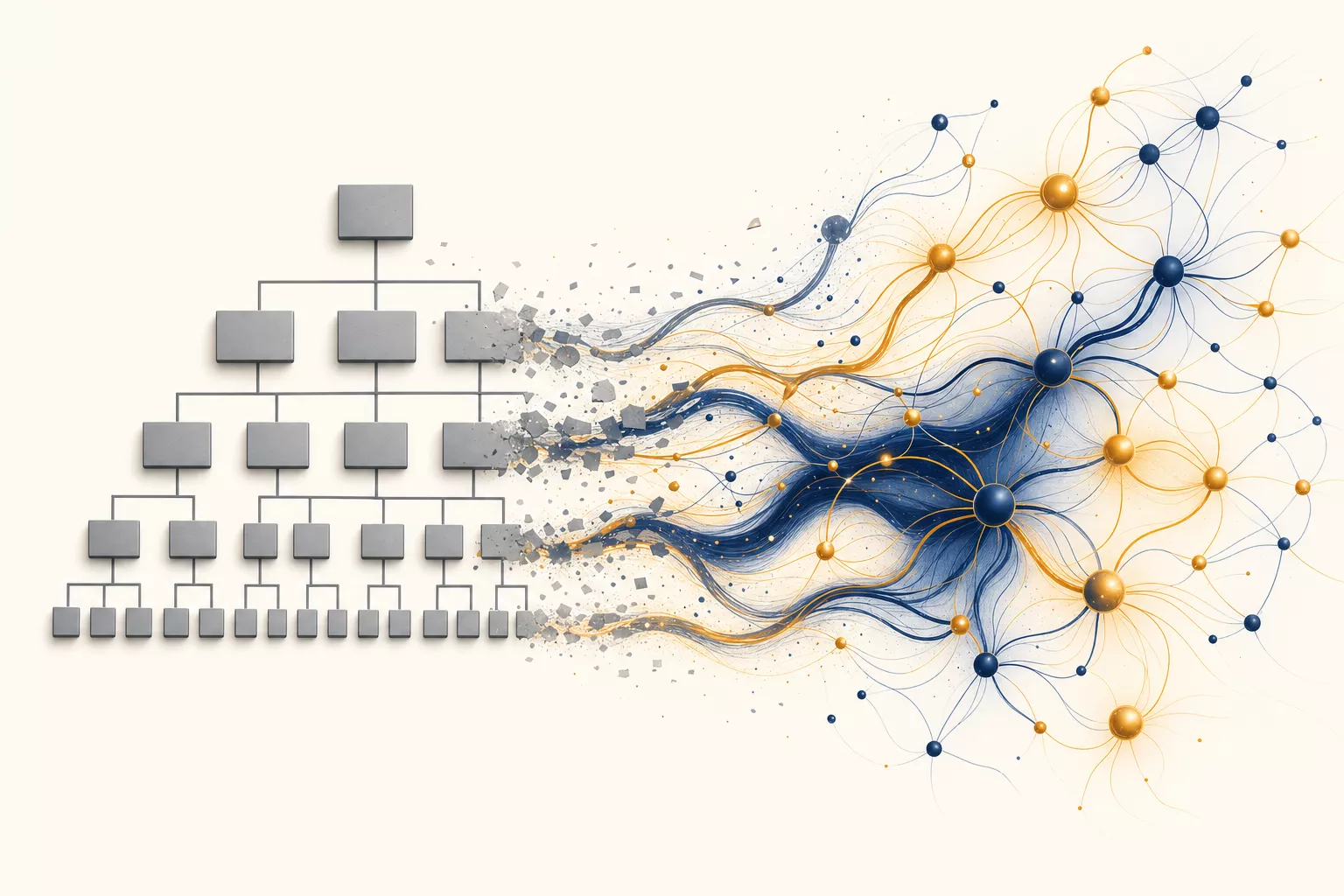
The modern enterprise org chart was designed in the 1920s. It was a reasonable solution to a real problem: humans can only process so much information. So we split work into departments. Marketing talks to marketing. Engineering talks to engineering. Sales talks to sales. When they need to coordinate, they schedule a meeting, write a memo, or hire a project manager to shuttle context between groups.
This worked when the bottleneck was processing power. But in 2026, the bottleneck isn't processing — it's the walls we built to manage it.
AI agents don't need org charts. They don't forget what the sales team said when they switch to working on an engineering task. They don't lose context in a handoff. They don't need a standing Wednesday sync to stay aligned.
And that's creating a problem that most enterprises aren't ready to talk about: the organizational structure itself is becoming the primary source of inefficiency, not the work inside it.
The $4.5 Trillion Coordination Tax
McKinsey estimates that knowledge workers spend 61% of their time on “work about work” — coordinating, searching for information, status updates, and context switching between tools. That's not a rounding error. For a company with 1,000 knowledge workers averaging $100K salary, that's $61 million per year spent on coordination overhead.
The conventional response is “better tools.” Slack for communication. Jira for tracking. Confluence for documentation. Salesforce for pipeline. The result? More tools, more context switching, more “work about work.”
The problem isn't that your tools are bad. It's that your organizational structure requires this coordination because information lives in departmental silos that humans created for human brains.
Here's a concrete example most companies will recognize:
- A customer mentions a feature request to their Customer Success Manager
- The CSM logs it in their CRM notes
- During a weekly sync, they mention it to the Product Manager
- The PM creates a Jira ticket and prioritizes it in the next sprint planning
- An Engineer picks it up, but needs to understand the business context — schedules a call with the PM
- The engineer builds it, but the CSM never gets notified it shipped
- The customer asks about the feature 3 months later. Nobody connects the dots.
Seven handoffs. Three tools. At least two weeks of latency. All because information crosses departmental boundaries through human intermediaries.
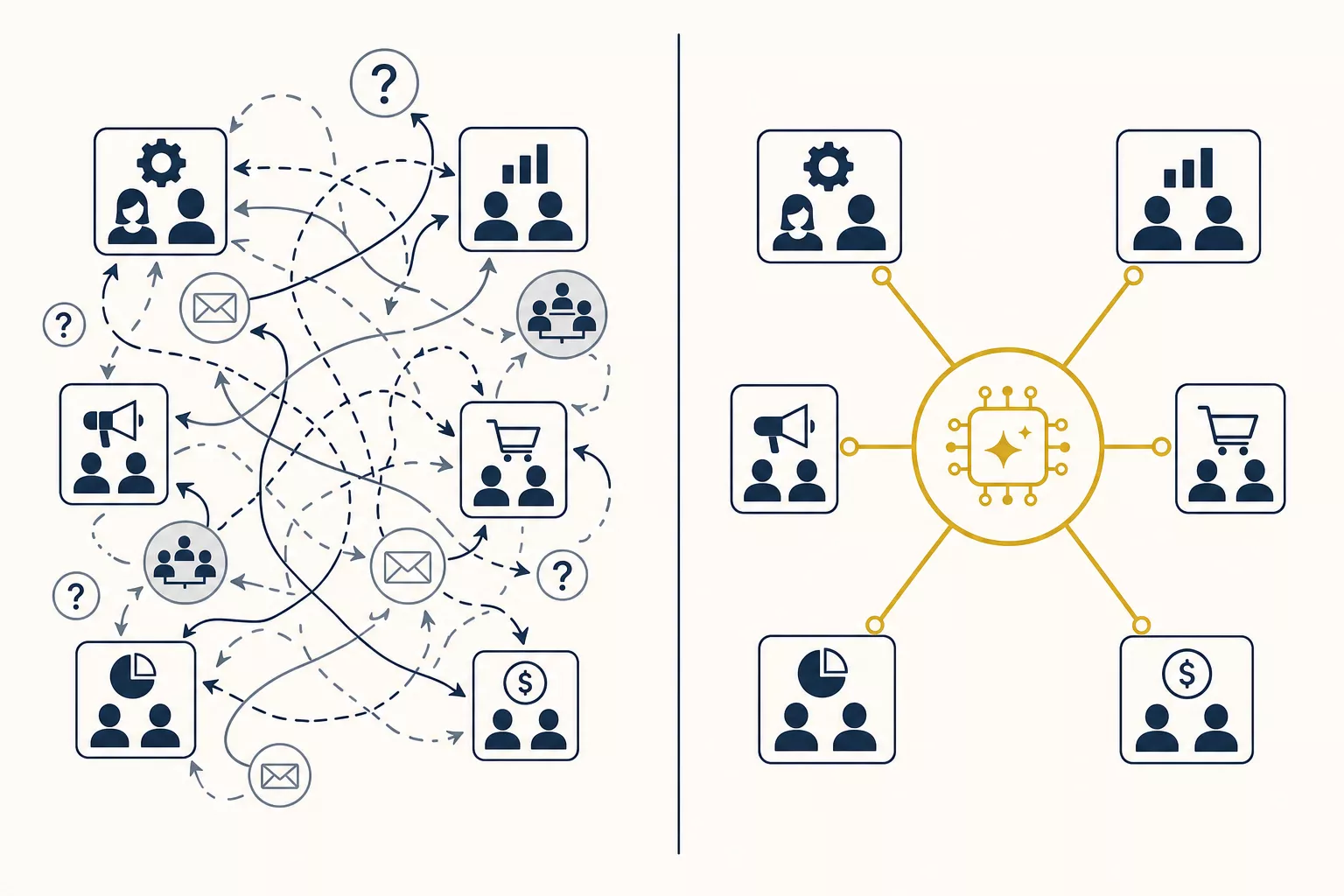
What an Agent-Native Workflow Looks Like
Now imagine the same scenario with an AI agent layer that sits across departments:
# Agent receives customer conversation transcript
class CrossFunctionalAgent:
    def __init__(self, knowledge_graph, tool_registry):
        self.kg = knowledge_graph  # Unified context across all departments
        self.tools = tool_registry  # CRM, Jira, Slack, GitHub — all accessible

    async def process_customer_interaction(self, transcript: str):
        # Step 1: Extract intent and context
        analysis = await self.analyze(transcript)

        if analysis.contains_feature_request:
            # Step 2: Check if this feature already exists or is planned
            existing = await self.kg.query(
                "feature_requests",
                similar_to=analysis.feature_description,
                threshold=0.85
            )

            if existing:
                # Already being built — notify the customer
                await self.tools.crm.update_contact(
                    contact=analysis.customer_id,
                    note=f"Asked about {analysis.feature_description} — "
                         f"already in sprint {existing.sprint}, ETA {existing.eta}"
                )
                return

            # Step 3: Create request with FULL cross-departmental context
            ticket = await self.tools.jira.create(
                title=analysis.feature_description,
                context={
                    "customer_arr": analysis.customer_arr,
                    "similar_requests": await self.kg.query(
                        "feature_requests",
                        similar_to=analysis.feature_description, limit=5
                    ),
                    "competitive_pressure": await self.kg.query(
                        "competitor_features",
                        matching=analysis.feature_description
                    ),
                }
            )

            # Step 4: Auto-notify when it ships
            await self.kg.create_trigger(
                watch=f"jira:ticket:{ticket.id}:status:done",
                action="notify_customer_and_csm",
                payload={"customer_id": analysis.customer_id}
            )
Zero handoffs. One tool interaction. The customer gets notified when the feature ships — automatically, without any human remembering to close the loop.
The agent didn't replace anyone's job. It replaced the organizational glue— the meetings, the status updates, the “let me check with the team and get back to you” delays.
Why This Terrifies (and Should Excite) Middle Management
Let's address the elephant in the room. If AI agents handle cross-departmental coordination, what happens to the humans whose primary job is cross-departmental coordination?
The honest answer: their role transforms, but it doesn't disappear.
Here's what most “AI replaces managers” takes get wrong: they assume management is primarily about information routing. It isn't. Good managers do four things:
- Route information between people and teams
- Make judgment calls when priorities conflict
- Develop people through coaching and feedback
- Build trust that enables collaboration
AI agents are already better at #1. They will get good at #2 within a year. But #3 and #4 are fundamentally human activities, and they're also the activities that most managers wish they had more time for.
A 2025 Gartner survey found that managers spend 54% of their time on “administrative coordination” — the information routing that agents can handle. Only 14% was spent on people development. Not because managers don't care about coaching, but because they're drowning in the coordination tax.
What Most People Miss
The companies that will win aren't the ones that fire their middle managers. They're the ones that free their middle managers to do the 14% of their job that actually matters — the human parts — full-time.
A manager who spends 100% of their time on people development, strategic thinking, and building team trust is worth 5x what they cost. We've just never been able to afford to let them do that, because someone had to run the weekly status meetings.
The Architecture: Knowledge Graphs as Organizational Memory
The technical enabler here isn't LLMs themselves — it's the knowledge graph that gives agents persistent, cross-functional context.
Consider how information flows in a typical enterprise:
Sales       → CRM (Salesforce)
Engineering → Project tracker (Jira) + Code (GitHub)
Support     → Support platform (Zendesk)
Marketing   → Analytics (GA) + Content (CMS)
Finance     → ERP (NetSuite)
HR          → HRIS (Workday)
Each system is a silo. Information enters the silo and stays there unless a human extracts it and carries it to another silo. This is the fundamental architecture that creates the coordination tax.
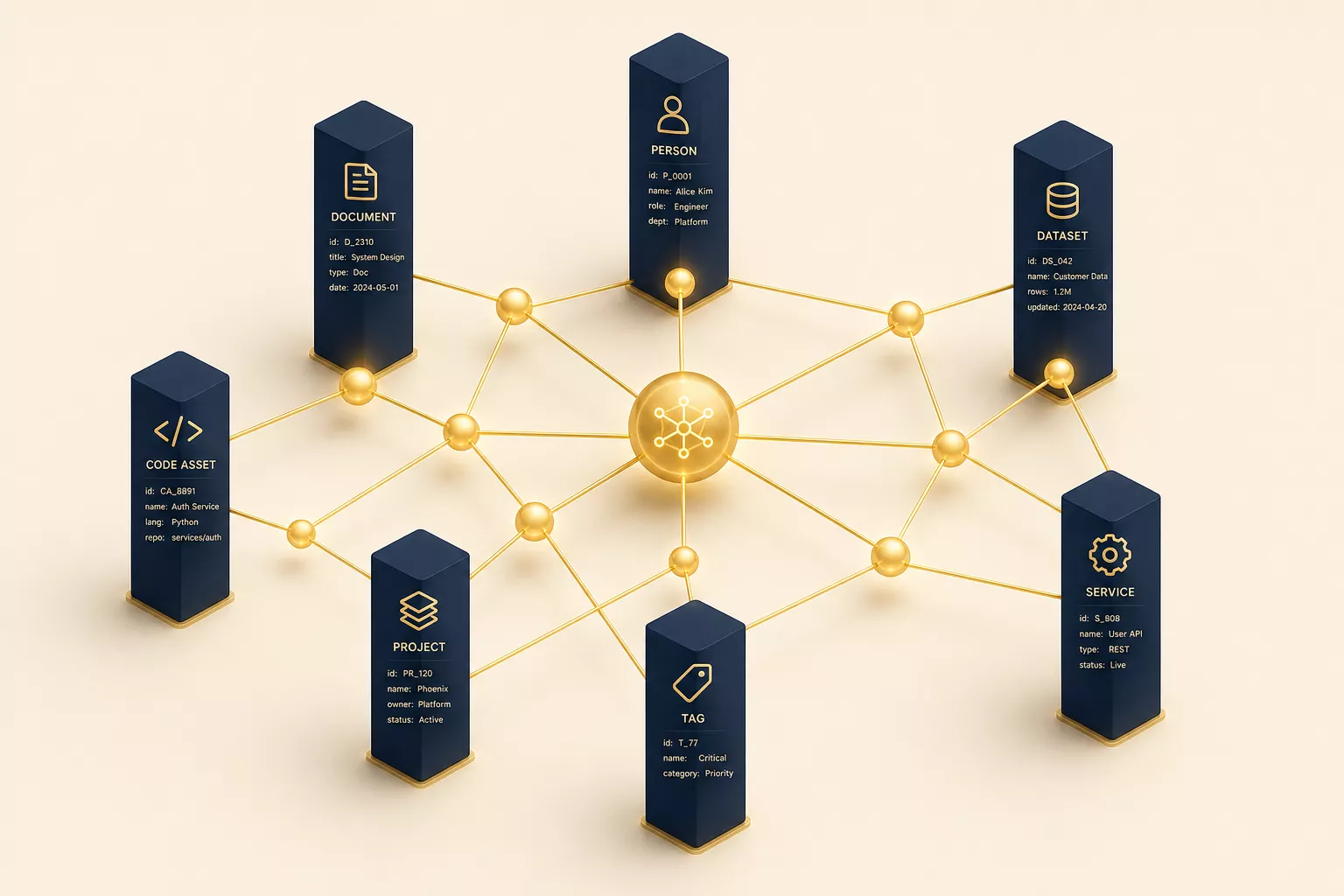
A knowledge graph changes this by creating a unified semantic layer across all systems:
# Instead of querying each system separately and manually correlating...

# A knowledge graph gives you this:
context = kg.query("""
    MATCH (c:Customer {name: 'Acme Corp'})
    -[:HAS_DEAL]->(d:Deal)
    -[:REQUIRES]->(f:Feature)
    -[:BLOCKED_BY]->(t:Ticket)
    -[:ASSIGNED_TO]->(e:Engineer)
    RETURN c, d, f, t, e
    ORDER BY d.close_date ASC
""")

# One query. Full picture. Every department's context unified.
# The agent now knows:
# - Acme Corp has a $500K deal closing in 30 days
# - It depends on a feature that's blocked by a P1 bug
# - The bug is assigned to an engineer who's on vacation next week
# - The CSM hasn't been told about the delay
This isn't theoretical. This is exactly how Avyay's Second Brain works — a graph database that ingests data from every business system and creates a unified semantic model that agents can query in real time.
The graph doesn't just store data. It stores relationships. And relationships are what org charts were designed to manage.
The Five Walls That Fall
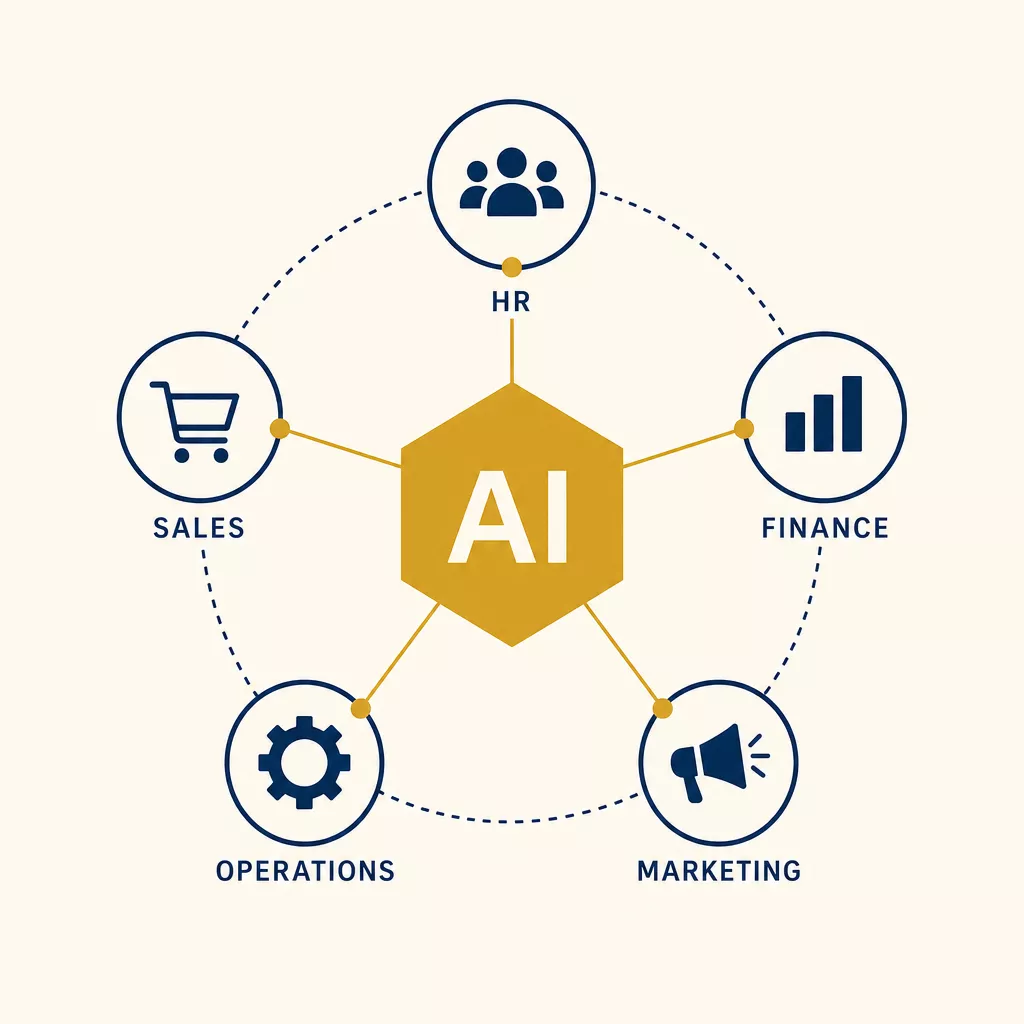
When you deploy cross-functional agents backed by a knowledge graph, five specific organizational walls dissolve:
1. The Sales–Engineering Wall
Before:Sales promises features that engineering hasn't planned. Engineering builds features that sales can't sell. Both blame each other.
After:The agent sees the full pipeline. When a sales rep discusses a custom feature with a prospect, the agent instantly checks engineering capacity, existing roadmap conflicts, and the revenue-weighted priority. The rep gets real-time guidance: “This feature is already in sprint 14. If the deal is >$200K, we can accelerate to sprint 12. Engineering has 40 hours of available capacity.”
2. The Support–Product Wall
Before: Support tickets pile up in Zendesk. Product managers manually review them quarterly, if they have time. Patterns emerge slowly or not at all.
After:The agent continuously clusters support tickets by root cause, correlates them with product areas, and surfaces patterns weekly. “Authentication errors increased 340% after the 2.4 release, concentrated in accounts using SAML SSO. 12 tickets from enterprise-tier customers. Estimated churn risk: $890K ARR.”
3. The Marketing–Sales Wall
Before: Marketing generates leads. Sales complains about lead quality. Marketing complains about follow-up speed. The feedback loop takes months.
After: The agent tracks every lead from first touch to closed-won or lost. It learns which content, channels, and messaging patterns produce leads that actually convert — not just leads that fill out a form. Marketing gets feedback in days, not quarters.
4. The Finance–Operations Wall
Before: Budget planning happens annually. Actuals diverge from plan by Q2. Nobody reconciles until year-end.
After:The agent monitors spend in real time, correlates it with business outcomes, and flags anomalies immediately. “Engineering cloud spend exceeded forecast by $45K this month, primarily from the new ML pipeline. However, it's generating $200K/month in predicted cost savings for customers. ROI is positive — recommend budget reallocation, not cuts.”
5. The HR–Everyone Wall
Before: Attrition surprises everyone. Exit interviews reveal problems that were visible months earlier — if anyone had been looking at the data across systems.
After:The agent correlates signals across systems: declining PR frequency in GitHub, fewer Slack messages, missed standups, overdue reviews. It doesn't spy — it notices patterns that any attentive manager would notice if they had time to look at every system every day. And it flags them privately to the right people.
Common Mistakes (and How We've Seen Them Play Out)
Mistake 1: Starting With the Hardest Wall
Every company has an “impossible” coordination problem — usually sales-engineering alignment or something culturally loaded. Don't start there.
Start with the wall where both sides agree there's a problem, the data already exists in systems (you just need to connect it), and the fix is obviously better for everyone. Support-to-product feedback loops are often the easiest win.
Mistake 2: Building “Agent Managers” Instead of “Agent Connectors”
The temptation is to build agents that make decisions across departments. Don't do this yet. Build agents that surface context across departments and let humans make the decisions.
The progression should be:
- Observe: Agent reads data from multiple systems, surfaces patterns
- Recommend: Agent suggests actions based on cross-functional context
- Act with approval: Agent executes routine decisions with human sign-off
- Act autonomously: Agent handles well-defined decisions independently
Most companies should stay at step 2 for the first six months. The trust needs to be earned.
Mistake 3: Ignoring the Knowledge Graph
If your agents query each business system independently on every request, you'll hit rate limits, get stale data, and spend a fortune on API calls. The knowledge graph is what makes cross-functional agents economically viable — it caches, correlates, and indexes information from all systems so agents get fast, unified access.
Building agents without a knowledge graph is like building a website without a database. You cando it, but you won't like the result.
The Implementation Playbook
Here's how to start dissolving silos with AI agents — practically, not theoretically:
Week 1–2: Map Your Information Flows
Document every handoff between departments. Not the ideal process — the real one. Where does information get stuck? Where do people say “let me check with the team”?
# A simple framework for mapping handoffs
handoff_map = {
    "customer_feature_request": {
        "source": "customer_success",
        "destination": "product",
        "method": "weekly_sync_meeting",
        "avg_latency_days": 14,
        "context_loss": "high",
        "frequency": "daily",
        "automation_readiness": "high"
    },
    "bug_report_to_engineering": {
        "source": "support",
        "destination": "engineering",
        "method": "jira_manual_creation",
        "avg_latency_days": 3,
        "context_loss": "medium",
        "frequency": "20/day",
        "automation_readiness": "high"
    },
    # Map 10-20 of these. High latency + high context loss
    # + high automation readiness = your first targets.
}
Week 3–4: Build the Knowledge Graph Layer
Connect your top 3-4 business systems to a knowledge graph. You don't need every system on day one — you need enough to bridge your first silo. At minimum: CRM (customer context), Project tracker (engineering context), Support platform (customer issues), Communication tool (team context).
Week 5–8: Deploy Your First Cross-Functional Agent
Pick the handoff with the highest automation readiness score and build an agent that handles it. Not replaces the humans involved — handles the information routing part. Measure:
- Latency reduction — how much faster does information cross the boundary?
- Context completeness — does the receiving team get all the context they need?
- Human time saved — how many hours of coordination work disappeared?
Month 3+: Expand and Connect
Each new agent you deploy makes the knowledge graph richer, which makes the next agent more valuable. This is the flywheel: more data → better context → more useful agents → more data.
The Uncomfortable Truth
The org chart isn't going away. Humans still need reporting structures, career paths, and a sense of belonging to a team. But the org chart's operational function — routing information between specialized groups — is being replaced by AI agents backed by knowledge graphs.
This is uncomfortable because it forces a question that most executives would rather not answer: if coordination is handled by agents, what is each layer of management actually for?
The good answer is: the parts of management that humans are uniquely good at. Strategy. Judgment. Coaching. Culture. Trust.
The bad answer is: nothing, if you let “management” remain defined as “the people who sit in meetings and shuttle information between teams.”
Your org chart was always a prompt — a set of instructions for routing information through a network of human processors. AI agents are just a faster, more reliable way to execute that prompt. The question is what your people will do with the time they get back.
Start Here
If you're ready to explore what cross-functional AI agents look like for your organization:
- Avyay Second Brain — The knowledge graph layer that unifies your business data
- OpenClaw Enterprise — The agent platform that sits across your departments
- Contact us — We'll map your highest-value coordination bottleneck in a 30-minute call
Published on avyay.ai — Avyay builds enterprise AI that doesn't decay. Our platform combines autonomous agents, knowledge graphs, and intelligent workflows to help companies work the way AI makes possible, not the way the 1920s org chart demands.