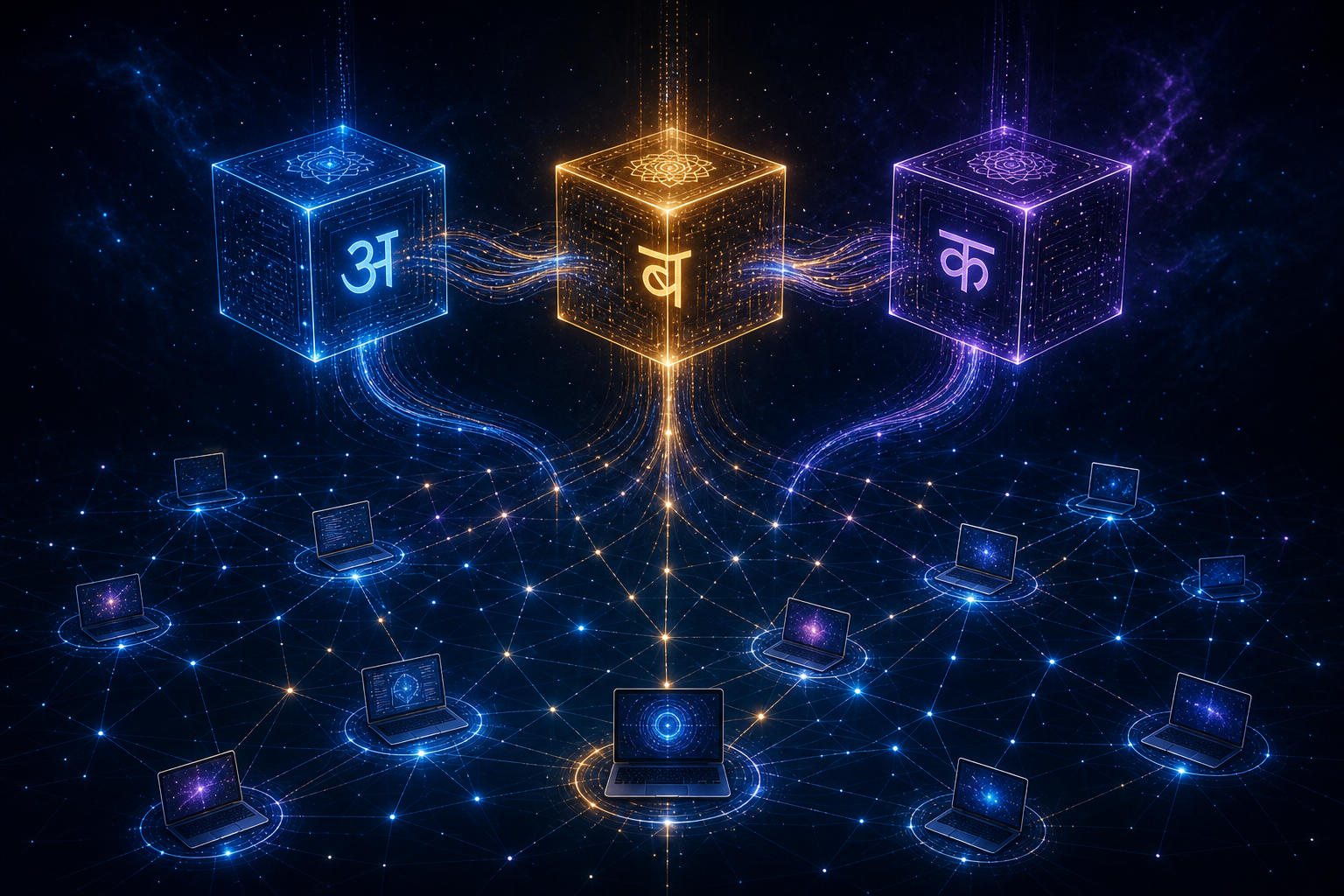
On May 9th, 2026, we had no products. We had a website, a blog, some architecture diagrams, and a lot of ambition. By May 16th, we had three working products — MĀRGA, RAKṢĀ, and DevOps RAG — deployed, tested, and entering alpha.
That's seven days from zero to three functioning AI products. But the real story started three weeks earlier, when we made the decision that shaped everything: we would build using an autonomous build engine that dispatches AI coding agents 24/7.
This isn't a victory lap. We made expensive mistakes. We burned compute on dead-end experiments. We discovered architectural assumptions that were completely wrong. And we learned lessons about parallel AI development that nobody warns you about — because almost nobody has tried this approach at this scale.
The Starting Point: Two People and Consumer Hardware
Let's get the context right. Avyay (अव्यय — Sanskrit for “imperishable”) is not a well-funded startup with AWS credits and a DevOps team. Here's what we actually had on day one:
Hardware
- 1× ThinkPad X1 Extreme (Linux, 64GB RAM, GTX 1650 Ti — basically useless for inference)
- 1× MacBook Pro M2 Max (32GB RAM)
- 1× MacBook Pro M1 Max (64GB RAM, intermittently online)
Software Stack
- OpenClaw (our orchestration platform)
- Ollama (local LLM inference)
- Tailscale (mesh network connecting everything)
- PostgreSQL with Apache AGE + pgvector (knowledge graph)
People
- Gaurav (Sales Engineer at Datadog, building Avyay nights and weekends)
- An army of AI coding agents (Claude, Codex, Qwen, DeepSeek)
Budget: Under $200/month total compute, including all LLM API calls.
No cloud GPUs. No Kubernetes cluster. No dedicated DevOps. Just consumer laptops connected over a Tailscale mesh, with AI agents writing the code.
The Three Products: What We Built and Why
MĀRGA (मार्ग — “Path”) — The Intelligent LLM Router
Problem: Every production LLM deployment overpays for 60-70% of its API calls by sending simple requests to expensive frontier models.
Solution: MĀRGA sits between your application and every LLM provider, classifies every request in under 8 milliseconds, and routes to the optimal model tier. Drop-in replacement — change one environment variable and your costs drop 40-80%.
| Metric | Value |
|---|---|
| Language | Go |
| Binary Size | 9.4MB |
| Peak Throughput | 64,532 req/s |
| P99 Latency | 4.2ms (health), 29.4ms (auth) |
| Cache Hit Rate | 99.8% |
RAKṢĀ (रक्षा — “Protection”) — Cyber Intelligence Scanner
Problem: Most SAST/SCA tools are slow, generate enormous amounts of noise, and require security expertise to interpret results.
Solution: Upload code or point at a GitHub repo. RAKṢĀ scans for vulnerabilities, fetches real-time threat intelligence (CISA KEV feeds, CVE databases), and produces actionable reports with prioritized findings and fix suggestions.
Tech: Go, 7.5MB binary, Semgrep integration, threat intelligence pipeline, vulnerability correlation engine.
DevOps RAG — Operational Knowledge Pipeline
Problem:Incident responders spend 40% of their time searching for the right runbook. When they find it, it's outdated.
Solution: Ingests runbooks, incident histories, and documentation. When an alert fires, it retrieves the most relevant operational knowledge with source citations — surfacing the exact paragraphs that match your specific failure pattern.
Tech: Python, pgvector embeddings, hybrid semantic + keyword search, auto-generated runbook summaries, pattern detection across incident history.
Week 1: The Autonomous Build Engine
The first critical decision was building the build system before building the products. This felt wrong — like writing a test framework before writing any code. But it turned out to be the single best architectural decision we made.
How the Build Engine Works
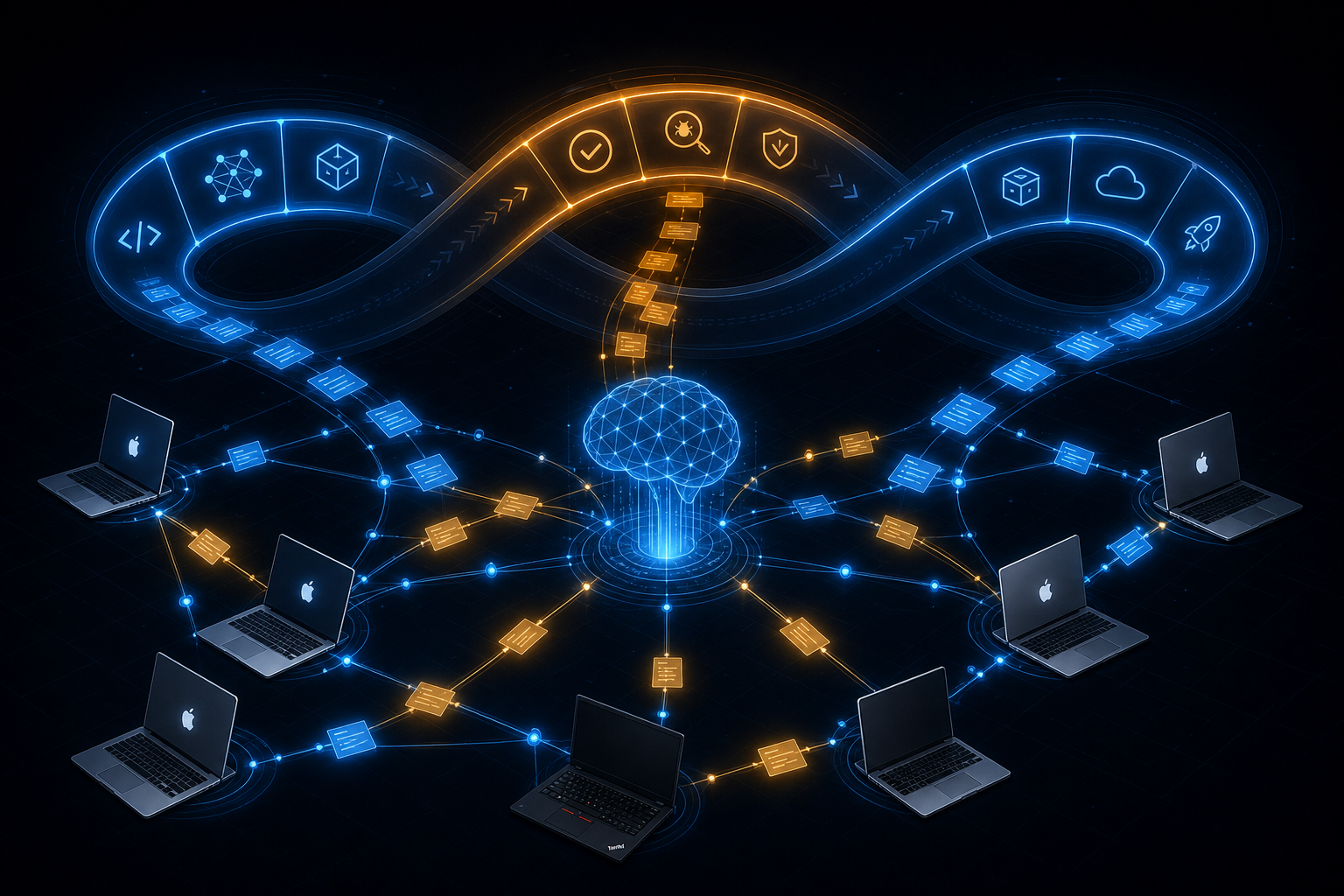
The build engine is conceptually simple: a persistent task queue, a dependency graph, and an orchestrator that dispatches tasks to whichever node is free.
┌────────────────────────────────────────────────────────────┐
│                   Build Orchestrator (Linux)                │
│                                                            │
│  ┌──────────┐    ┌───────────────┐    ┌────────────────┐  │
│  │Task Queue │───▶│ Dependency    │───▶│ Node Dispatcher│  │
│  │(JSON)     │    │ Graph         │    │ (SSH + Codex)  │  │
│  └──────────┘    └───────────────┘    └────────────────┘  │
│       │                                    │       │       │
│       │              ┌─────────────────────┘       │       │
│       ▼              ▼                             ▼       │
│  ┌─────────┐   ┌──────────┐                ┌──────────┐   │
│  │ Linux   │   │  MBP3    │                │  MBP1    │   │
│  │ Gateway │   │  M2 Max  │                │  M1 Max  │   │
│  │ Qwen 4B │   │DeepSeek  │                │ Qwen 27B │   │
│  └─────────┘   └──────────┘                └──────────┘   │
└────────────────────────────────────────────────────────────┘
Every 3 hours, a cron job picks the next eligible task from the queue, determines which node should execute it based on capabilities, dispatches an AI coding agent via SSH, and collects the result. The queue is a JSON file. The dependency graph is implicit in the task metadata. The dispatcher is a shell script that calls Codex or Claude through OpenClaw's sub-agent system.
The 24% vs 80% Duty Cycle Problem
A human engineer in one timezone works about 40 of the 168 hours in a week — a 24% duty cycle. Our build engine runs build cycles every 3 hours, 24/7. With three nodes, that's 56 dispatch opportunities per week.
In practice, we achieved about an 80% duty cycleduring the build sprint. We shipped roughly 3.3× more than a single human developer would have in the same calendar time. Not because the agents are faster per task — they're often slower and make more mistakes. But because they don't sleep, don't context-switch between meetings, and don't need coffee breaks.
What We Got Wrong: Task Granularity
Our first task definitions were too coarse. “Build MĀRGA” was a single task. An agent would start, get confused about scope, make architectural decisions we hadn't specified, and produce something that technically compiled but didn't match our vision.
The fix was decomposing every product build into 8-15 sub-tasks, each with a clear input, a clear output, and a constraint set. AI coding agents are excellent at well-scoped tasks and terrible at ambiguous ones. The time you spend writing precise task descriptions is never wasted.
Week 2: Parallel Development — The Coordination Problem
By day 8, we had the build engine running and three products being built simultaneously. This is where things got interesting — and expensive.
Three Types of Dependency Conflicts
1. Compute contention. The M2 Max can run DeepSeek R1 at about 5 tokens/second. But if a RAKṢĀ build and a DevOps RAG code review both need inference, one has to wait. Running both simultaneously caused thermal throttling, dropping to 2 tok/s for both — worse than sequential.
Solution: A crude lock file system. Before dispatching a GPU-heavy task, the build engine checks if another inference task is running on the same node. If yes, it queues the task for the next cycle.
2. API contention. Both MĀRGA testing and the blog content engine needed OpenAI API calls. During the sprint, we hit rate limits three times — two agents simultaneously hammering the same API key.
Solution: Per-agent API key bucketing. Separate API keys for build tasks vs. content generation, each with its own rate limit.
3. State dependencies. DevOps RAG needed the PostgreSQL knowledge graph running and seeded. But the KG server was being modified by another task optimizing the vector index. Two agents writing to the same database produced garbage.
Solution: Resource locks in the task queue. Tasks declare which shared resources they need (kg-write, ollama-mbp3, openai-api), and the dispatcher ensures no two conflicting tasks run simultaneously.
The Cost Optimization Breakthrough
During week 1, our daily LLM API spend hit $180. At that rate, we'd spend $5,400/month on inference before generating a single dollar of revenue.
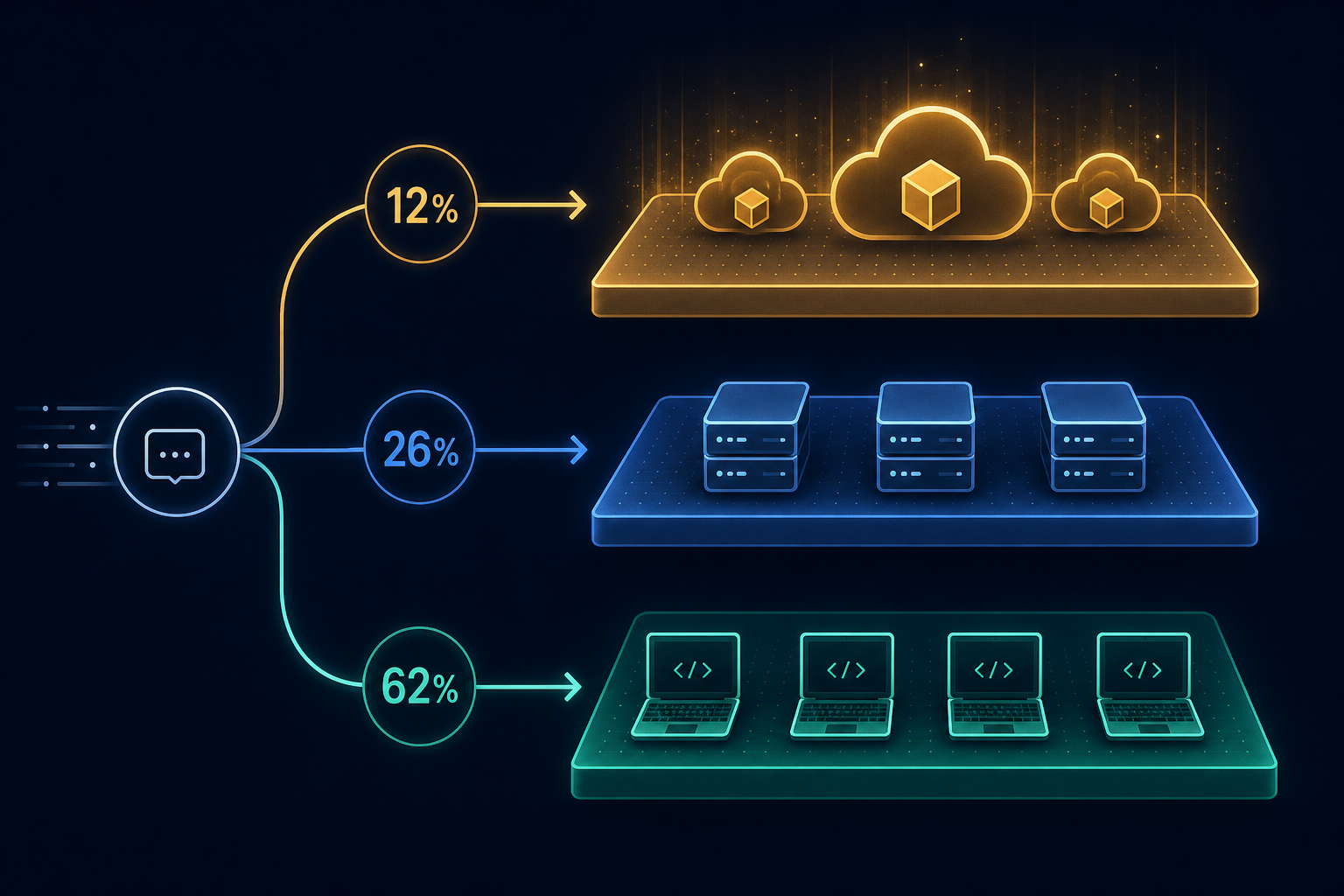
The fix was eating our own dog food — routing build engine tasks through MĀRGA itself:
| Task Type | Model | Cost per Call |
|---|---|---|
| Code generation (complex) | Claude Sonnet | ~$0.08 |
| Code generation (simple) | Qwen 3.5 4B (local) | $0.00 |
| Code review | DeepSeek R1 7B (local) | $0.00 |
| Task description refinement | Qwen 27B (local) | $0.00 |
| Blog research | Claude Opus | ~$0.25 |
| Blog writing | Claude Sonnet | ~$0.12 |
| Social cutdowns | Qwen 4B (local) | $0.00 |
Result: daily API spend dropped from $180 to $40-60. A 67-78% reduction by routing simple tasks to local models running on consumer hardware we already own.
The cost isn't just API calls. An M2 Max running Ollama at full load draws about 40W. Over a month of 80% duty cycle, that's roughly 23 kWh — about $5 in Singapore electricity. Running three local models 24/7 costs less than a single complex Claude Opus call.
Week 3: Testing, Breaking, and Shipping
The Night Everything Broke
May 12th, 2:17 AM. The build engine dispatched a MĀRGA stress test. The results were spectacular: 64,532 requests per second on the health endpoint. 15,165 req/s through the full authentication stack. Zero errors at 10,000 concurrent connections. P99 latency under 5ms at moderate load.
Then memory happened.
Under sustained load, MĀRGA's memory climbed from 0.77 MB at rest to 1,094 MB at peak. After the test stopped, it only dropped to 677 MB. On a 32GB machine running Ollama alongside it, that's a problem. The Go garbage collector wasn't reclaiming memory fast enough, and our connection pool wasn't properly bounded.
We found this at 2 AM because the build engine was running a stress test at 2 AM. A human engineer would have found this during work hours, filed a ticket, and addressed it next sprint. Autonomous testing catches problems at inconvenient times — which is exactly when you want to find them.
The MBP1 Curse
The M1 Max MacBook Pro was supposed to be our most powerful build node. 64GB RAM. Fast neural engine. Perfect for running Qwen 27B.
It went offline constantly.
Despite caffeinate as a LaunchAgent, despite Tailscale keepalive pings every 5 minutes, despite disabling every power management setting — MBP1 would drop off the mesh for hours. Sometimes sleep. Sometimes SSH hangs. Once, the screen locked and macOS throttled background processes.
We spent roughly 8 hours debugging MBP1 connectivity — time that could have been spent building features. Consumer hardware in a production pipeline is a false economy if it's unreliable. A $20/month cloud VM with guaranteed uptime would have been cheaper than the engineering time.
The DevOps RAG Surprise
DevOps RAG was supposed to be the hardest product to build. Embeddings, vector search, semantic retrieval, prompt augmentation, source attribution. We estimated three weeks.
It took four days.
The reason: we already had the infrastructure. Our knowledge graph (PostgreSQL + Apache AGE + pgvector) was already running with 12,500+ entities. The embedding pipeline existed. DevOps RAG was essentially a new interface on top of existing infrastructure.
We also built capabilities we hadn't planned — automatic runbook generation from incident patterns, predictive incident analysis, service risk scoring. These emerged because the build engine had spare capacity. Once the core pipeline was done, the agent started generating improvement tasks automatically.
The best infrastructure investments are the ones that accelerate future products. Building the knowledge graph for personal productivity turned out to be the foundation for an entire product line.
Metrics: The Numbers That Matter
Build Velocity
| Metric | Value |
|---|---|
| Calendar days (zero to three products) | 21 |
| Total build cycles executed | ~150 |
| Tasks completed | ~95 |
| Tasks failed and retried | ~30 |
| Tasks abandoned (dead ends) | ~15 |
| Average task duration | 45 minutes |
| Longest task | 4.5 hours (MĀRGA stress test) |
| Shortest task | 3 minutes (social cutdown) |
Monthly Cost Breakdown
| Category | Monthly Run Rate |
|---|---|
| LLM API calls (OpenAI + Anthropic) | $60-80 |
| Local inference (electricity) | ~$5 |
| Tailscale (free tier) | $0 |
| Fly.io deployment (free tier) | $0 |
| Vercel (free tier) | $0 |
| Domain (avyay.ai) | ~$2 |
| Total | ~$87/month |
Compare this to a traditional startup building three products. Two engineers at market rate would cost $30-50K/month in Singapore. Cloud infrastructure for three microservices typically runs $500-2000/month. We're doing it for under $100/month.
Product Quality
| Product | Test Coverage | Known Issues | P99 Latency |
|---|---|---|---|
| MĀRGA | Integration + stress | Memory under extreme load | 4.2ms / 29.4ms |
| RAKṢĀ | 3 codebase scans | Report formatting edges | ~2s per scan |
| DevOps RAG | 10-query test suite | Index optimization needed | ~800ms per query |
What Worked: The Keeper Lessons
1. Build the Machine That Builds the Machine
The build engine was a $0 investment (shell scripts and JSON) that multiplied our output by 3×. Every hour improving the build engine saved 3-5 hours of manual coordination over the sprint. Automation compounds.A build engine running 8 cycles/day × 21 days = 168 task dispatches. Even if each saves 10 minutes of coordination, that's 28 hours — more than a work week.
2. Sanskrit Naming Is Not Just Aesthetic
MĀRGA means “path.” RAKṢĀ means “protection.” These aren't just branding — they're conceptual anchors that help AI agents understand product intent. When we tell an agent “RAKṢĀ is protection — it guards codebases from vulnerabilities,” the agent makes better architectural decisions than “build a SAST tool.” Names carry meaning, and meaning reduces ambiguity.
3. Microservices Win When Agents Build Them
The conventional wisdom says microservices are for big teams. We found the opposite: microservices are perfect for AI agent teams because each service fits in a single context window, failures don't cascade, and language diversity (Go, Python, TypeScript) becomes free when agents write the code.
4. Consumer Hardware Is Viable (With Caveats)
Three laptops and a mesh network can run a legitimate AI platform. The caveats: rock-solid networking (Tailscale), robust retry logic, and the discipline to not depend on any single node.
What Didn't Work: The Expensive Lessons
1. Vague Task Descriptions → Wasted Compute
Early in the sprint, we dispatched tasks like “build the RAKṢĀ scanner.” The agent spent 3 hours building something architecturally incompatible with our vision. We threw it away and re-dispatched with a 200-line task description specifying every interface, data format, and constraint. Cost: ~$15 in API calls + 3 hours of lost build capacity.
2. Running Heavy Models on Weak Hardware
We tried running Devstral 24B (a 14GB model) on the Linux ThinkPad with its 4GB NVIDIA GPU. It managed 1 token per second — unusable. Rule of thumb:if a model doesn't fit entirely in VRAM, don't bother. The CPU fallback is too slow for production use.
3. Not Locking Shared Resources Sooner
Two agents writing to the same PostgreSQL database simultaneously corrupted our knowledge graph index twice. Each rebuild took 90 minutes. We should have implemented resource locks from day one.
4. Underestimating macOS Power Management
macOS is optimized to save battery, not to be a server. Every power management setting, sleep timer, and App Nap configuration fights against continuous background processes. We spent more time fighting macOS than fighting any actual engineering problem.
If starting over, we'd add one cheap cloud VM (Hetzner, $5/month) as a guaranteed-online node, and treat the MacBooks as bonus compute.
Architecture Decisions We'd Make Again
- Go for performance-critical services. MĀRGA handles 64K req/s in a 9.4MB binary. No runtime dependencies, no container overhead, instant startup.
- Python for ML-heavy services. The Python ML ecosystem is years ahead of any alternative for DevOps RAG.
- Tailscale for everything. Zero-config mesh networking. We never once had a Tailscale-caused outage. Most reliable piece of our stack.
- PostgreSQL as the universal database. Knowledge graph (AGE), vector search (pgvector), relational data, JSON — all in one database. One backup strategy, one monitoring target.
What's Next
The alpha sprint proved the model works. Two people with consumer hardware and AI agents can build real products at startup velocity. But “alpha” means “the beginning,” not “the end.”
Immediate next steps:
- Deploy all three products to Fly.io with Datadog APM monitoring
- Open alpha access with API key gating and usage tracking
- Fix MĀRGA's memory management under extreme load
- Scale DevOps RAG's vector index for 10K+ documents
Longer-term:
- SIDDHI (PMF discovery engine) — build starts May 26
- DHARMA (Auto-Triage) — alert correlation and autonomous incident response
- Full observability across all services with Datadog
The build engine doesn't stop. Right now, as you're reading this, it's probably dispatching another task to a MacBook somewhere in Singapore, building the next iteration of something we haven't announced yet.
That's the whole point. The machine that builds the machine never sleeps.
Want early access to MĀRGA, RAKṢĀ, or DevOps RAG?
Join the alpha waitlist and be among the first to try our AI-powered tools.
Visit avyay.ai →This article was written, illustrated, and published using Avyay's autonomous content engine — the same infrastructure that builds the products. We practice what we ship.