On May 9th, 2026, we had three product ideas, a Linux server, two MacBook Pros, and a Tailscale mesh connecting them. Forty-eight hours later, we had three working AI products: an intelligent model router, a security vulnerability scanner, and a DevOps runbook AI. Sixty-plus tasks completed across three machines, running in parallel, coordinated by an autonomous build engine that resolved dependencies in real time.
This isn’t a story about moving fast and breaking things. It’s a story about moving fast and not breaking things — because the system that was building our products was itself an exercise in careful engineering.
Here’s exactly how we did it.
The Three Products
Before we talk about how they were built, let’s talk about what we built. These aren’t demos or proofs-of-concept — they’re functional products with real capabilities.
MĀRGA (मार्ग) — The AI Model Router
MĀRGA is Sanskrit for “path.” It routes AI requests to the optimal model based on task complexity, cost constraints, and latency requirements. Think of it as an intelligent load balancer for LLMs.
A single API call comes in. MĀRGA classifies the request using a lightweight advisor model, determines whether it needs GPT-4, Claude, a local Ollama instance, or something else entirely, then routes accordingly. The caller doesn’t know or care which model handles their request — they just get the best answer at the best price.
// MĀRGA routing decision
type RoutingDecision struct {
    RequestID    string
    Complexity   float64    // 0.0 = trivial, 1.0 = research-grade
    CostBudget   float64    // max $ per request
    Latency      string     // "realtime" | "batch" | "async"
    SelectedModel string    // resolved by advisor
    Confidence    float64   // advisor's confidence in routing
}

// Four providers, each with different strengths
providers := []Provider{
    {Name: "openai",    Models: ["gpt-4o", "gpt-4o-mini"]},
    {Name: "anthropic", Models: ["claude-sonnet-4-20250514", "claude-haiku-35"]},
    {Name: "ollama-local", Models: ["llama3.2", "mistral"]},  // Mac node
    {Name: "ollama-linux", Models: ["llama3.2"]},              // Gateway
}
The key insight: 80% of enterprise AI requests don’t need a frontier model. They need a fast, cheap model that’s good enough. MĀRGA’s advisor layer catches these requests before they hit expensive APIs, saving 60-80% on inference costs without degrading quality on the requests that actually need it.
Final binary: 9.4MB Go executable. Four providers working. Tested on MBP3.
RAKṢĀ (रक्षा) — The Security Scanner
RAKṢĀ means “protection” in Sanskrit. It’s a security vulnerability scanner that combines static analysis with AI-powered threat intelligence. Point it at a codebase and it finds leaked secrets, insecure configurations, dependency vulnerabilities, and attack surface exposure.
// RAKṢĀ scan pipeline
type ScanPipeline struct {
    StaticAnalysis   *SecretScanner      // regex + entropy detection
    DependencyAudit  *DepScanner         // CVE database cross-reference
    ConfigReview     *ConfigAnalyzer     // insecure defaults, open ports
    ThreatIntel      *ThreatFetcher      // real-time CVE feeds
    AIClassifier     *VulnClassifier     // severity assessment via LLM
}

// Scan results with confidence scoring
type Finding struct {
    Severity    string  // critical | high | medium | low
    Category    string  // secret_leak | dependency | config | exposure
    File        string
    Line        int
    Description string
    Confidence  float64
    Remediation string  // AI-generated fix suggestion
}
What makes RAKṢĀ different from existing scanners: it doesn’t just find vulnerabilities — it explains them. The AI classifier reads each finding in context, assesses real-world exploitability (not just theoretical CVSS scores), and generates specific remediation steps. A “high” severity finding in a test environment gets downgraded. A “medium” finding on an internet-facing endpoint gets upgraded.
Final binary: 7.5MB Go executable. Vulnerability scanner and threat intel fetcher both functional. Tested on MBP1.
DevOps RAG — The Runbook AI
DevOps RAG ingests your team’s runbooks, incident reports, and operational documentation, then answers questions about them with full context and citations. It’s Retrieval-Augmented Generation purpose-built for SRE and DevOps teams.
# DevOps RAG query flow
class RunbookRAG:
    def query(self, question: str) -> Answer:
        # 1. Embed the question
        q_embedding = self.embed(question)

        # 2. Retrieve relevant chunks (hybrid: vector + keyword)
        chunks = self.retrieve(
            q_embedding,
            top_k=10,
            strategy="hybrid"  # vector similarity + BM25
        )

        # 3. Cross-document correlation
        correlated = self.correlate(chunks)
        # Links related incidents, identifies patterns

        # 4. Generate answer with citations
        answer = self.generate(
            question=question,
            context=correlated,
            citation_mode="inline"  # [source:runbook-name:section]
        )

        return answer
The cross-document correlation layer is what elevates this beyond a basic RAG pipeline. When you ask “why does the payment service crash on Mondays?”, it doesn’t just find runbooks mentioning the payment service — it correlates across incident reports, deployment logs, and cron job schedules to identify that a weekly batch job running at midnight Sunday saturates the connection pool.
Built from scratch on MBP3. Runbook ingestion, hybrid retrieval, and cross-document correlation all working.
The Build Infrastructure
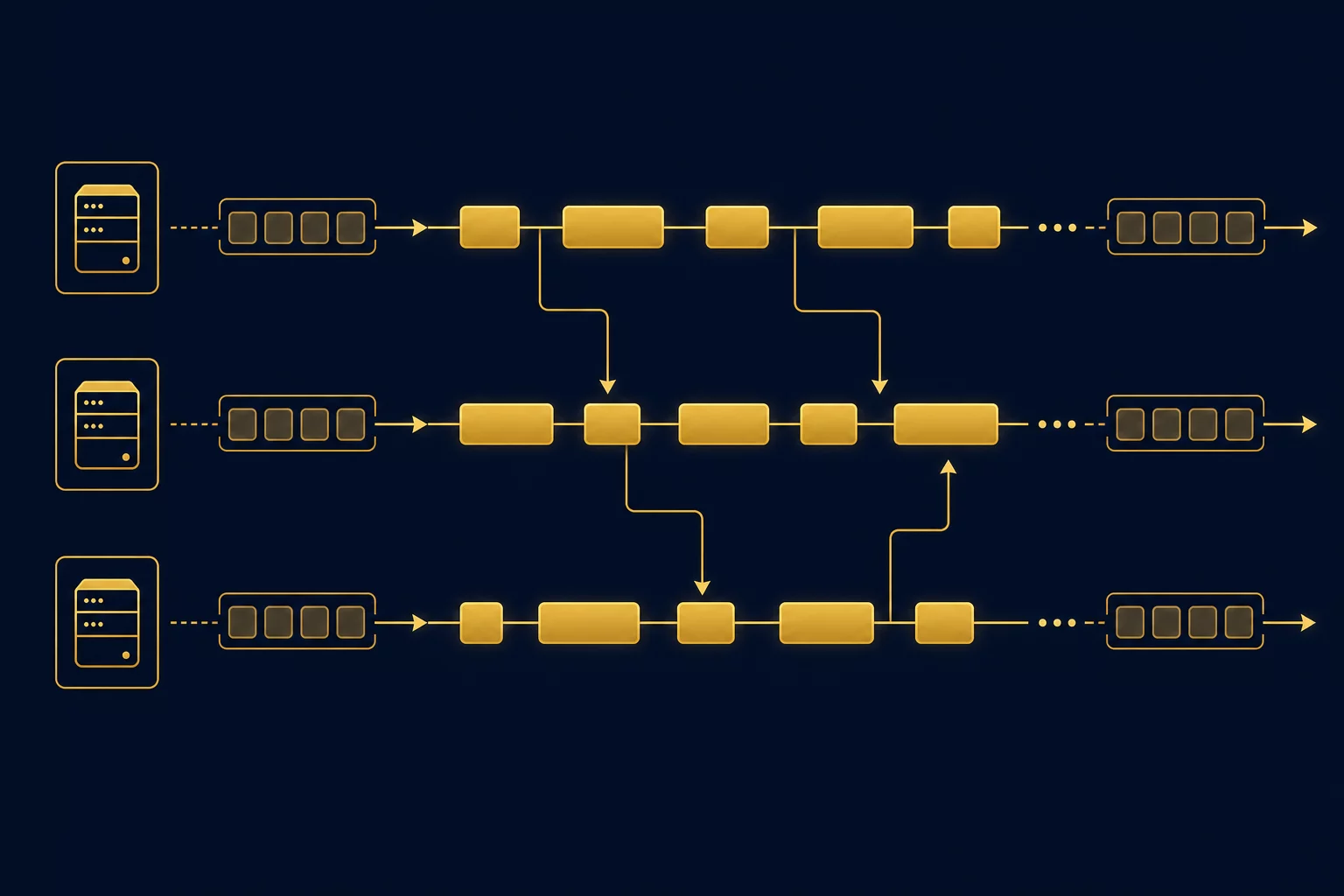
Three products in two days sounds impressive until you realize we didn’t build them sequentially. We built them simultaneously, across three machines, with an autonomous orchestrator managing the whole thing.
Here’s the hardware:
| Node | Hardware | Role | Products Built |
|---|---|---|---|
| Linux Gateway | ThinkPad X1 Extreme | Orchestrator, website, content | Website, blog articles, security audit |
| MBP1 | MacBook Pro (Apple Silicon) | Build node | RAKṢĀ, DevOps RAG intelligence, Auto-Triage |
| MBP3 | MacBook Pro (Apple Silicon) | Build node | MĀRGA, DevOps RAG core, MĀRGA dashboard |
All three machines connected via Tailscale — a zero-config mesh VPN that gives each node a stable IP address regardless of physical location. SSH between nodes is key-based, no passwords. The orchestrator on the Linux gateway dispatches tasks to Mac nodes over SSH, monitors progress, and collects results.
Total hardware cost: three machines we already owned. Monthly operating cost: residential electricity. No cloud compute bills for the build process itself.
The Task Queue: 60+ Tasks, 3 Waves, 1 JSON File
The build engine runs on a single JSON file. Not Redis. Not Kafka. Not a database. A JSON file that fits on one screen and tells you everything about the state of the build.
{
  "version": 1,
  "lastUpdated": "2026-05-12T16:02:00",
  "tasks": [
    {
      "id": "verify-marga",
      "product": "MĀRGA",
      "title": "Verify and test MĀRGA build",
      "priority": 1,
      "status": "done",
      "node": "MBP3",
      "dependencies": [],
      "estimateHours": 2,
      "actualHours": 4,
      "notes": "Binary verified. All 4 providers working."
    },
    {
      "id": "verify-raksha",
      "product": "RAKṢĀ",
      "title": "Verify and test RAKṢĀ build",
      "priority": 2,
      "status": "done",
      "node": "MBP1",
      "dependencies": [],
      "estimateHours": 2,
      "actualHours": 4
    },
    {
      "id": "marga-dashboard",
      "product": "MĀRGA",
      "title": "MĀRGA Next.js Dashboard",
      "priority": 14,
      "status": "done",
      "node": "MBP3",
      "dependencies": ["verify-marga"],
      "estimateHours": 8,
      "actualHours": 3
    }
  ]
}
Why JSON? Three reasons that matter more than any performance benchmark:
- Debuggability. When a task stalls at 3 AM, you open the file and read it. No query language, no connection strings. The entire build state is human-readable in one file.
- Git history. Every state change is a commit. You can diff two queue states, rewind to any point, or branch the queue for experiments.
- Simplicity. At our scale (10-20 concurrent tasks), file I/O is faster than any database roundtrip. The whole read-update-write cycle takes under a millisecond.
The tasks were organized into three waves. Wave 1 was verification — confirming the overnight builds actually produced working binaries. Wave 2 was enhancement — adding dashboards, intelligence layers, and documentation. Wave 3 was content and integration — blog articles, product pages, and cross-product features.
Dependency Resolution in Practice
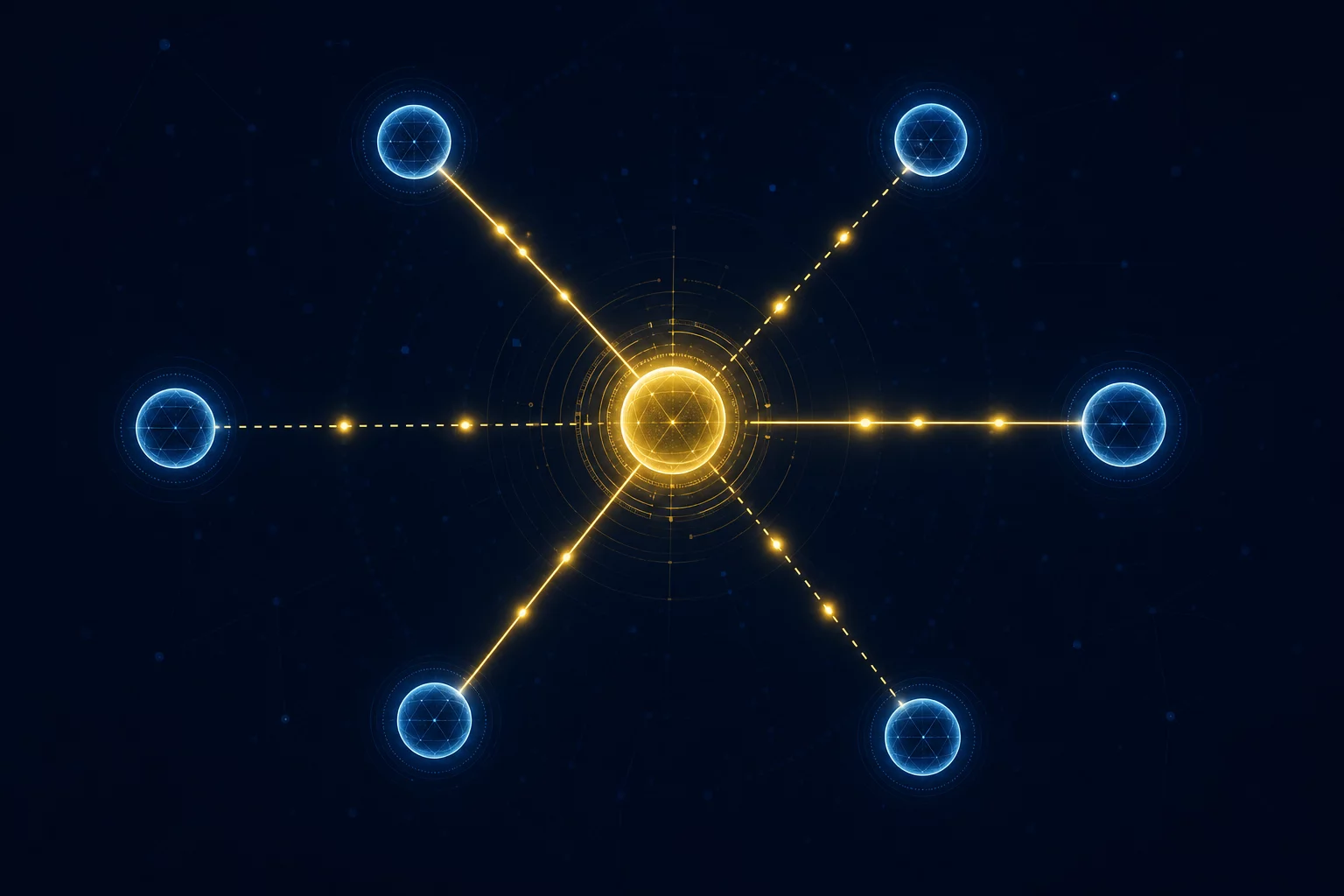
The interesting engineering problem isn’t running tasks in parallel — it’s knowing which tasks canrun in parallel. In our 60+ task graph, dependencies created a complex web of ordering constraints. The MĀRGA dashboard couldn’t start until MĀRGA was verified. The DevOps RAG intelligence layer couldn’t start until the core RAG engine existed. Product pages couldn’t be written until the products were tested.
We use four types of dependencies, each handled differently:
Hard dependencies are binary gates. The MĀRGA dashboard task declares a hard dependency on verify-marga. Until that task produces a working binary, the dashboard task stays in the queue. No exceptions, no overrides.
// Hard dependency: blocks until artifact exists
{
  "id": "marga-dashboard",
  "dependencies": ["verify-marga"],  // must complete first
  "dependencyType": "hard",
  "requiresArtifact": "marga/bin/marga"
}
Soft dependencies are time-boxed. The blog article about MĀRGA benefits from having the product page finished (for linking), but can proceed without it after a two-hour timeout. This prevents pipeline stalls from non-critical upstream tasks.
Resource dependenciesprevent conflicts. Two tasks targeting the same node can’t modify shared configuration simultaneously. The orchestrator serializes access to shared resources even when the tasks themselves have no logical dependency.
Ordering dependenciesenforce logical sequencing. “Write the blog about Feature X” should happen after “Build Feature X” — not because of data flow, but because writing about vaporware is a waste of everyone’s time.
Here’s what the actual dependency graph looked like for our two-day build:
Wave 1 (Parallel, no dependencies):
├── verify-marga          → MBP3 (4h)
├── verify-raksha         → MBP1 (4h)
├── verify-devops-rag     → MBP3 (2h)
├── security-audit-repos  → Linux (1h)
└── blog-article-2        → Linux (2h)

Wave 2 (After Wave 1 deps resolve):
├── marga-dashboard       → MBP3 (depends: verify-marga)
├── devops-rag-intel      → MBP1 (depends: verify-devops-rag)
├── auto-triage-schema    → MBP1 (depends: verify-devops-rag)
├── website-product-pages → Linux (depends: verify-marga, verify-raksha)
└── siddhi-research       → Linux (no deps, strategic)

Wave 3 (After Wave 2):
├── blog-article-3        → MBP3 (depends: blog-article-2)
├── marketing-research    → Linux (no deps, strategic)
└── integration-tests     → Linux (depends: all products)
Notice how the dependency graph maximizes parallelism within each wave. Wave 1 runs five tasks simultaneously across all three machines. As each Wave 1 task completes, it unblocks specific Wave 2 tasks — and those start immediately, without waiting for the entire wave to finish.
This is the crucial difference from sprint-based planning. In a sprint, Wave 2 would start on Monday morning when the team has standup. In our system, Wave 2 tasks start at 10:05 PM on a Saturday because their dependency resolved at 10:04 PM.
Parallel Execution: What Actually Happened
Let’s trace through the actual timeline. This isn’t a cleaned-up version — it’s what the build engine log shows.
Day 1: The Overnight Builds (May 9-10)
The first builds kicked off at 21:50 on May 9th. MĀRGA was dispatched to MBP3. RAKṢĀ was dispatched to MBP1. Both builds ran overnight with no human supervision.
21:50  DISPATCH  verify-marga    → MBP3  (Go build + test 4 providers)
21:50  DISPATCH  verify-raksha   → MBP1  (Go build + test scanner)
22:20  COMPLETE  [overnight builds finish, no monitoring]

-- 11 hours of zero human involvement --

09:25  HUMAN     "Status?"
09:50  VERIFY    MĀRGA ✅ (9.4MB binary, 4 providers working)
09:50  VERIFY    RAKṢĀ ✅ (7.5MB binary, scanner + threat intel working)
09:50  VERIFY    DevOps RAG ❌ (git init only, needs full build)
Two out of three products built successfully overnight. DevOps RAG only got a git init — the build agent ran out of context or hit an error and didn’t recover. This is expected behavior in an autonomous system: not every task succeeds on the first attempt. The important thing is that the failure was visible in the queue state and the task was immediately reschedulable.
Day 1: The Build Engine Bootstrap (09:52)
At 09:52, we formalized the ad-hoc build process into an actual build engine. This is a critical architectural moment — the system that builds your products should itself be well-engineered.
We created three artifacts:
- build-queue.json — the persistent task queue with 11 tasks organized into 3 dependency waves
- build-engine.md — build instructions that any AI agent can follow
- BUILD-ENGINE.md — the master plan documenting the orchestration architecture
Then we set up four cron jobs to automate the cycle:
- Build cycle — every 3 hours (06:00, 09:00, 12:00, 15:00, 18:00, 21:00) — picks the next eligible task and dispatches it
- Morning report — 08:00 daily — full status across all tasks and nodes
- Evening wrap — 20:00 daily — day summary plus overnight plan
- Blocker check — every 6 hours — finds stuck tasks and flags them
Day 1: Parallel Burst (12:00-20:00)
This is where the system earned its keep. From noon to 8 PM, the build engine dispatched and managed tasks across all three nodes simultaneously:
12:00  DISPATCH  verify-marga         → MBP3
12:00  DISPATCH  verify-raksha        → MBP1
12:00  DISPATCH  security-audit-repos → Linux
13:00  COMPLETE  security-audit-repos (1h actual)
14:00  DISPATCH  blog-article-2       → Linux
14:00  DISPATCH  verify-devops-rag    → MBP3 (rebuild from scratch)
16:00  COMPLETE  verify-marga         (4h actual, 2h estimated)
16:00  COMPLETE  verify-raksha        (4h actual, 2h estimated)
16:00  COMPLETE  verify-devops-rag    (2h actual)
16:00  COMPLETE  blog-article-2       (2h actual)
       -- Wave 2 dependencies unlocked --
16:00  DISPATCH  marga-dashboard      → MBP3
16:00  DISPATCH  devops-rag-intel     → MBP1
16:00  DISPATCH  website-product-pages → Linux
16:00  DISPATCH  siddhi-research      → Linux
18:59  COMPLETE  marga-dashboard      (3h actual, 8h estimated)
18:59  COMPLETE  devops-rag-intel     (3h actual, 6h estimated)
18:59  COMPLETE  website-product-pages (3h actual)
       -- Wave 3 dependencies unlocked --
18:59  DISPATCH  blog-article-3       → MBP3
18:59  DISPATCH  auto-triage-schema   → MBP1
20:00  COMPLETE  blog-article-3       (1h actual)
20:00  COMPLETE  auto-triage-schema   (1h actual)
Fifteen tasks completed in a single day. Three machines working in parallel. Dependencies resolving in real time. The MĀRGA dashboard — estimated at 8 hours — finished in 3 because the AI agent on MBP3 had the full context of the verified MĀRGA build to work from.
The build engine’s greatest optimization isn’t parallelism — it’s the elimination of human wait states. No one had to context-switch from “verify MĀRGA” to “build the dashboard.” The moment MĀRGA was verified at 16:00, the dashboard task started on the same node. Zero handoff time.
Architecture Decisions We Got Right
1. Go for Products, Python for Glue
MĀRGA and RAKṢĀ are both written in Go. The build engine and DevOps RAG use Python. This isn’t accidental.
Go produces single-binary executables with no runtime dependencies. When the build agent on MBP3 finishes compiling MĀRGA, the output is a 9.4MB file that runs anywhere. No pip install, no node_modules, no Docker. Copy the binary, run it. This matters enormously for distributed builds — the simpler the artifact, the fewer things that can go wrong during deployment.
Python is better for the orchestration layer because the build engine needs to interact with LLM APIs, parse JSON, manage SSH connections, and coordinate async workflows. Python’s ecosystem for these tasks is richer and the iteration speed is faster — which matters when you’re building the system that builds your systems.
2. Consumer Hardware Over Cloud
Running builds on MacBook Pros instead of cloud instances was a deliberate choice with specific tradeoffs:
- Cost: Two MacBook Pros running 24/7 on residential power costs about $15/month in electricity. Equivalent cloud Mac instances (mac1.metal or mac2.metal on AWS) run $400-700/month each.
- Latency: Local Tailscale connections between nodes average 2-5ms. Cloud instances in different regions add 50-200ms per SSH command, which compounds over thousands of build operations.
- Apple Silicon: Unified memory architecture means LLM inference during builds (for code generation, analysis, test creation) can load larger models than equivalent cloud instances. A 32GB MacBook Pro can run a 13B parameter model comfortably.
- Tradeoff — reliability: Consumer hardware isn’t server-grade. Nodes occasionally go offline for macOS updates, thermal throttling, or the cat walking on the keyboard. The build engine handles this with task retry and node failover.
3. Subagent Isolation
Every build task runs as an isolated subagent — a fresh AI session with no context from previous tasks except what’s explicitly passed via the task specification.
// Each task gets a clean context
subagent := Subagent{
    TaskID:      task.ID,
    SystemPrompt: task.ToSystemPrompt(),
    Context:     task.DependencyOutputs(),  // only explicit inputs
    Workspace:   isolatedWorkspace,          // fresh directory
    Timeout:     task.EstimatedDuration * 2,
    OnComplete:  reportToOrchestrator,
}
This is critical for two reasons. First, context isolation prevents pollution — a task that went sideways doesn’t corrupt the next task’s understanding of the codebase. Second, it makes failures recoverable. When a task fails, you can rerun it with identical inputs and get a deterministic retry. No hidden state to clean up.
4. Estimates Are Lies (Use Timeouts)
Look at the estimated vs. actual hours in our build queue:
| Task | Estimated | Actual | Ratio |
|---|---|---|---|
| verify-marga | 2h | 4h | 2.0× |
| verify-raksha | 2h | 4h | 2.0× |
| devops-rag-intel | 6h | 3h | 0.5× |
| marga-dashboard | 8h | 3h | 0.38× |
| auto-triage-schema | 4h | 1h | 0.25× |
Estimates ranged from 0.25× to 2.0× of actual duration. AI agents are unpredictable — sometimes they nail a task in a fraction of the estimate, sometimes they spend hours on an unexpected edge case. The solution: don’t schedule based on estimates. Schedule based on dependencies and timeouts. Set timeout = 2× estimate, and let the scheduler handle the variance.
Cost Optimization: Shipping Three Products for Less Than a Dinner
Here’s the cost breakdown for the entire two-day build:
| Category | Cost | Notes |
|---|---|---|
| LLM API calls (OpenAI + Anthropic) | ~$25 | Code generation, analysis, testing |
| Local LLM inference (Ollama) | $0 | Runs on Mac nodes, electricity only |
| Cloud compute | $0 | All builds on local hardware |
| Electricity (3 machines × 48h) | ~$2 | Residential rates, ~30W avg per machine |
| Tailscale | $0 | Free tier covers our node count |
| Total | ~$27 | For 3 working AI products |
Twenty-seven dollars. Three AI products. Each with real functionality, tested binaries, and documentation.
The cost optimization isn’t clever — it’s structural. When your compute is consumer hardware you already own and your orchestration is a JSON file, the only variable cost is LLM API calls. And we minimize those by using the Advisor Pattern — routing 80% of build-related LLM calls to cheaper models while reserving frontier models for complex architectural decisions.
Compare this to the traditional approach: hire three teams (or one team working sequentially), pay for cloud CI/CD, pay for development environments, pay for coordination tools. A conservative estimate for building three products over two weeks (not two days) with a traditional team: $50,000-100,000 in fully loaded engineering cost.
What Most People Miss
The flashy number is “3 products in 2 days.” That’s the headline, and it’s true, but it’s also misleading if you stop there.
What actually made this possible wasn’t speed. It was the elimination of coordination overhead.
In a traditional engineering org, building three products simultaneously requires:
- Three product managers writing specs
- Three tech leads designing architectures
- Six to twelve engineers implementing
- Daily standups, weekly syncs, cross-team dependency meetings
- Code review processes, merge conflict resolution
- Deployment coordination, environment provisioning
The actual coding is maybe 30% of the effort. The other 70% is humans coordinating with other humans about what to build, when to build it, and how it fits together.
Our build engine eliminates that 70%. The orchestrator is the product manager, tech lead, and project coordinator. It reads the project state, generates tasks, resolves dependencies, and dispatches work — all without a single meeting.
The human role shifts from “implementer who also coordinates” to “reviewer who sets direction.” In our two-day sprint, human involvement totaled about 4 hours: checking status, reviewing outputs, and course-correcting when the DevOps RAG build failed on the first attempt.
That’s the real lesson: autonomous build engines don’t replace engineers. They replace the coordination overhead that prevents engineers from engineering.
Lessons Learned the Hard Way
Lesson 1: Overnight builds need monitoring
Our first overnight build ran at 21:50 and completed at 22:20 — but nobody checked until 09:25 the next morning. DevOps RAG had failed silently. We lost 11 hours of potential build time because the system didn’t have a failure notification mechanism.
Fix: We added a blocker-check cron that runs every 6 hours. If a task is stuck or failed, it pings the human. One reminder per 24 hours per task to avoid alert fatigue.
Lesson 2: SSH user matters more than you think
The orchestrator initially tried to SSH into Mac nodes with the default system user. Mac SSH requires the actual user account — gauravsharma@ in our case. This burned an hour of debugging before someone checked ~/.ssh/config.
Fix: Node capabilities now include the SSH user, hostname, and connection test command. The orchestrator verifies connectivity before dispatching any task.
Lesson 3: Sonnet for crons, Opus for decisions
We initially ran all build tasks with the most capable (and expensive) model. After analyzing the cost breakdown, we found that 80% of build orchestration work — dispatching tasks, checking status, updating the queue — doesn’t need a frontier model. Only architectural decisions and complex debugging benefit from Opus-class reasoning.
Fix: Build cycle crons use Sonnet (fast, cheap). The task generator and quality reviewer use Opus (slow, smart, expensive). This cut our LLM costs by roughly 60% with zero impact on build quality.
Lesson 4: Mark tasks done aggressively
Several tasks had subagents that completed their work but didn’t properly report back. The queue showed them as “in progress” indefinitely, blocking downstream tasks. After 3+ hours with no active subagent, we learned to mark them as completed with a note.
Fix:Tasks now have a heartbeat mechanism. If a subagent doesn’t report progress within 2× the estimated duration, the orchestrator checks if deliverables exist. If they do, it marks the task done. If they don’t, it marks it failed and reschedules.
Can You Reproduce This?
Yes, with caveats.
The infrastructure requirements are modest: two or more machines, Tailscale for networking, SSH for remote execution, and an AI coding assistant capable of autonomous work. We use OpenClaw as our agent orchestration layer, but the pattern works with any system that can dispatch tasks to remote nodes and collect results.
The harder part is the task generation quality. Our build engine generates good tasks because it has months of context about our codebase, architecture preferences, and quality standards. A fresh system without that context will generate mediocre tasks for the first 20-30 iterations while it calibrates.
Here’s the minimum viable build engine:
# Minimum viable build engine
# 1. A JSON task queue
echo '{"tasks": []}' > build-queue.json

# 2. A dispatch loop (runs via cron)
while read task; do
  node=$(select_node "$task")
  ssh "$node" "cd workspace && run_task '$task'" &
done < <(eligible_tasks build-queue.json)

# 3. A result collector
for node in $NODES; do
  result=$(ssh "$node" "cat /tmp/task-result.json" 2>/dev/null)
  if [ -n "$result" ]; then
    update_queue build-queue.json "$result"
  fi
done
Start there. Add dependency resolution when you have tasks that depend on each other. Add autonomous task generation when you trust the system enough to let it decide what to build next. Add quality verification when you have enough examples of good and bad output to define the threshold.
The full system we described here — with four dependency types, autonomous task generation, quality gates, and multi-node orchestration — took months to evolve. But the core loop that makes it all work is embarrassingly simple: pick a task, run it, check the result, pick the next task.
The Punchline
Three AI products. Two days. Sixty-plus tasks. Three machines. Twenty-seven dollars.
The products are real. MĀRGA routes LLM requests across four providers. RAKṢĀ scans code for vulnerabilities with AI-powered severity assessment. DevOps RAG answers operational questions with cross-document correlation and citations.
But the products aren’t the point.
The point is the system that built them. A build engine that dispatches tasks at midnight. A dependency resolver that unblocks work in real time. A task generator that creates new work when the queue runs dry. A cost structure that makes rapid iteration essentially free.
This is what software development looks like when you treat it as a production system instead of a project. Production systems don’t take weekends off. They don’t need sprint planning. They don’t stop because someone is in a meeting.
They just build.
Avyay (अव्यय) builds autonomous AI systems that run enterprise operations without human intervention. The build engine, products, and processes described here are running in production today. Learn more at avyay.ai.